iPhone music 里面的歌曲,在iTunes里面看不见
nicolas • • 44579 次浏览有知道是什么回事的吗?
歌曲在手机里有,可是连上电脑之后再电脑的iTunes里面就看不见。
另:有的歌能看见,有的不能看见。比如说:手机里有两首歌,A和B,连上iTunes之后,在电脑上能看见A但是看不见B。。。
-
#1
Re-download purchased?On a Mac or PCOpen iTunes.If you’re not signed in, sign in with your Apple ID.
From the menu bar at the top of your computer screen or at the top of the iTunes window, choose Account > Purchased. If you're a member of a Family Sharing group, you might see Family Purchases instead of Purchased.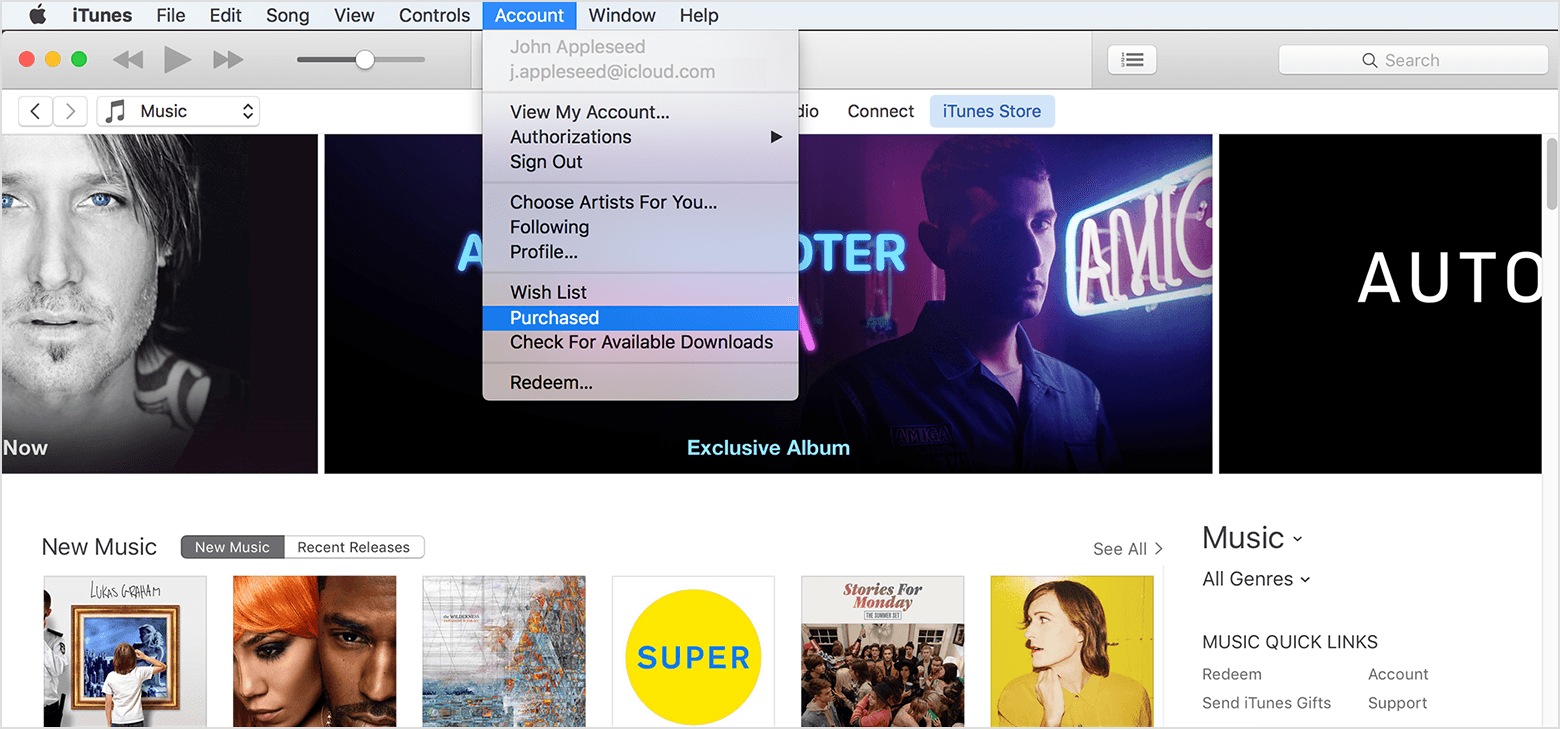
If you’re using Windows and can’t see the menu bar, learn how to turn it on.Depending on what you want to redownload, click Movies or TV Shows in the upper-right corner of the iTunes window.Click "Not in My Library" to view purchased content that isn't on your computer.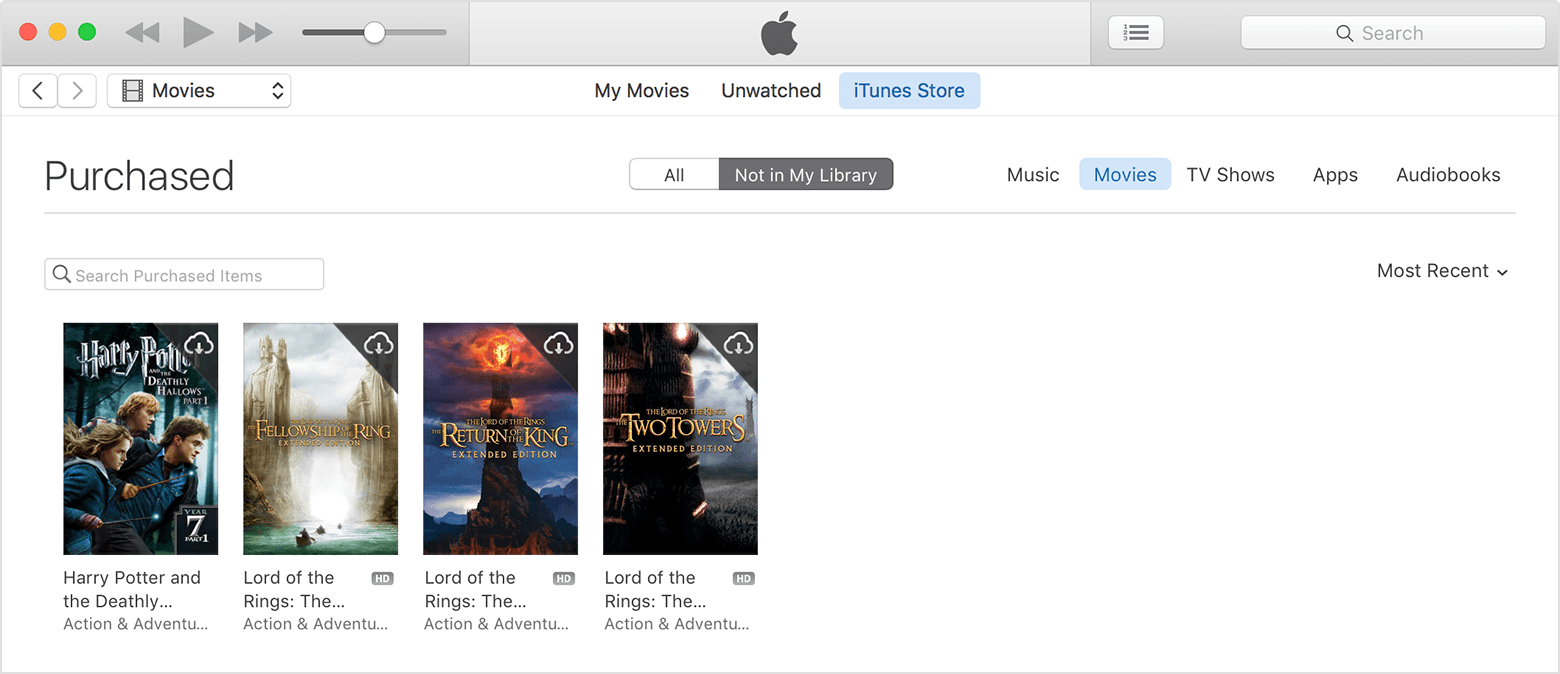 Find the item that you want to download, then click the Download icon
  in the upper-right corner. Your item downloads to your library.